Fake Ticket Emails: How Scammers Use Fake Ticket Platform Emails on Reddit
Scammers use fake confirmation screenshots and deliberately sent phishing emails to make nonexistent tickets feel real before they ask the buyer for payment.
By J.M
Moderator of r/TicketResale · VouchFirst Operator
Published July 17, 2026
Last reviewed July 17, 2026
Two Minute Summary
Receiving an email does not prove that a ticket exists.
We have seen scammers use two different versions of fake ticket emails.
In the first version, the scammer shows the buyer a screenshot or screen recording of a fake confirmation email. They use the image as proof and then ask the buyer to send payment.
In the more sinister version, the scammer sends a fake confirmation email directly to the buyer's inbox before asking for payment. The email is sent deliberately to make the interaction feel legitimate and lower the buyer's guard.
Never lower your guard simply because an email arrived.
Check the sender domain, search the seller on VouchFirst and verify the transfer inside your own account on the official ticketing platform.
The Two Types of Fake Ticket Email Scams
1. They Show You a Screenshot of a Confirmation Email
In the first version, the scammer sends a screenshot or screen recording of what appears to be a Ticketmaster, AXS, DICE or another ticket-platform confirmation email.
The fake email may include:
- The correct artist, venue and event date
- The exact seats you requested
- A message saying they bought the tickets
- The ticketing platform's logo and branding
The scammer uses this screenshot as proof that the tickets exist. These are one of the most common scams on Reddit ticket resale.
2. They Send the Fake Confirmation Email to You
The more dangerous version begins when the seller sends you a fake confirmation email directly to your inbox. The email may look like it came from the ticketing platform, but it is actually sent from a lookalike domain.
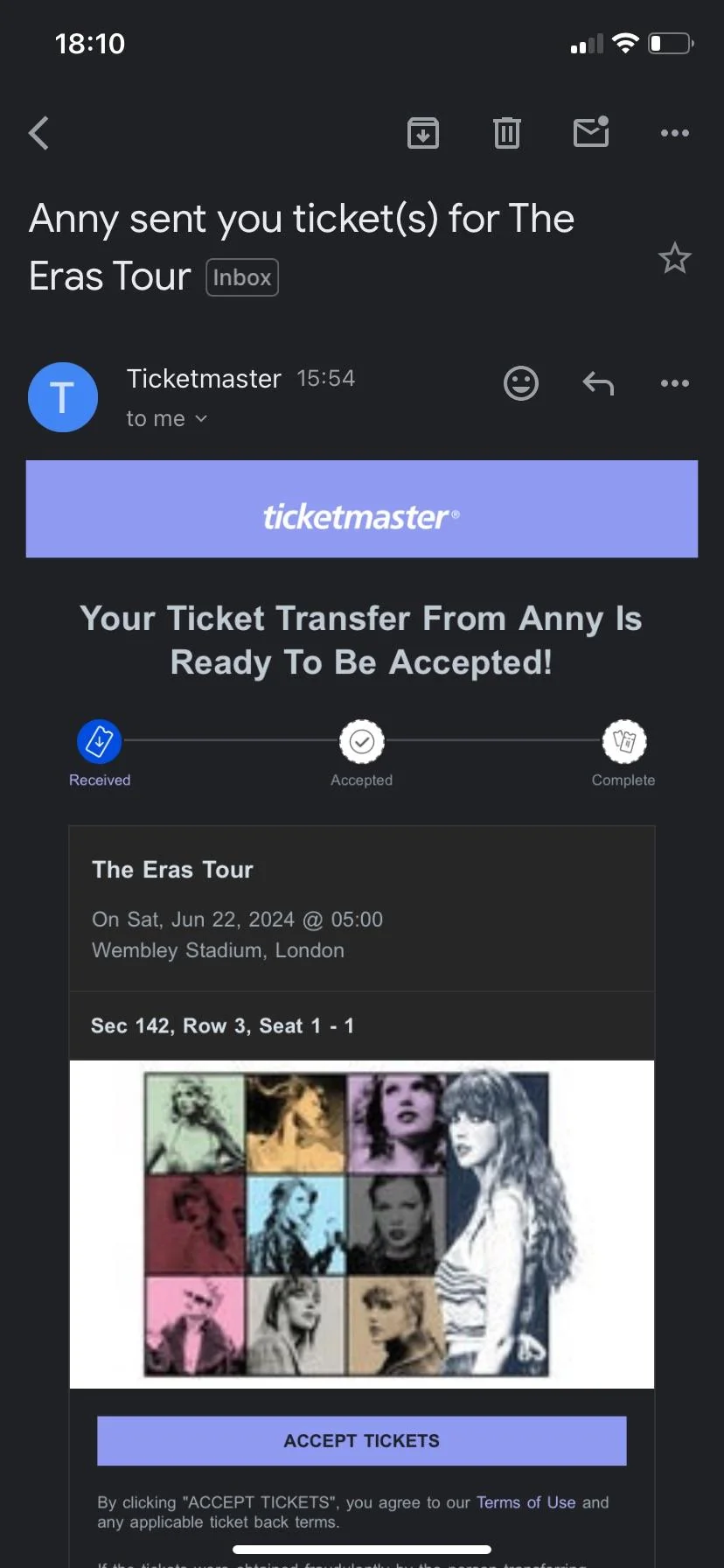
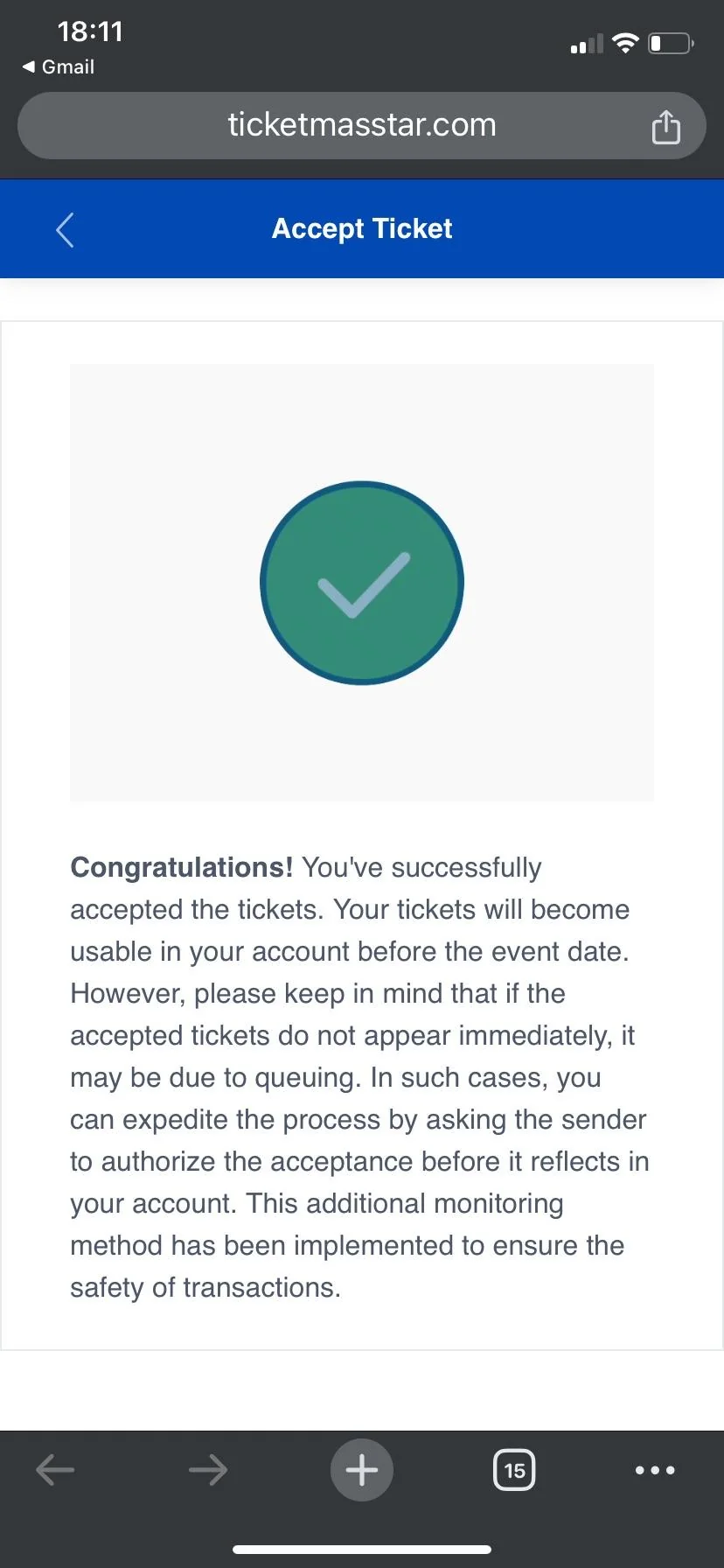
Instead of immediately asking for payment, the scammer sends a fake ticket confirmation or transfer email directly to the buyer's inbox.
This is deliberate. The scammer wants the buyer to think that the tickets are real and that the seller has completed their side of the transaction then ask for the full payment, a deposit or a payment through a method without buyer protection.
The email is part of the scam. It was sent to lower your guard before the payment request.
The sender may appear as "Ticketmaster," but the full email address may use a lookalike domain such as:
- ticketmaaster.com
- ticketmaster-transfer.net
- ticketmaster.support-example.com
The message may also contain an Accept Tickets button that opens a fake website.
The website can copy the logo, colors, buttons and transfer interface of the real ticketing platform. It may already show the buyer's name, email address and ticket details because the scammer collected that information during the Reddit conversation.
After the buyer clicks the button, the website may display a fake confirmation saying that the transfer was accepted. The scammer then uses that confirmation to pressure the buyer into paying.
Do not use the link inside the email. Open the official ticketing app or website yourself and check whether the transfer appears inside your account.
How to Spot a Fake Ticket Email
1. Check the Full Sender Domain
Do not trust the sender's display name alone. An email can display "Ticketmaster" while being sent from an unrelated address.
Expand the sender details and inspect everything after the @ symbol.
Look for:
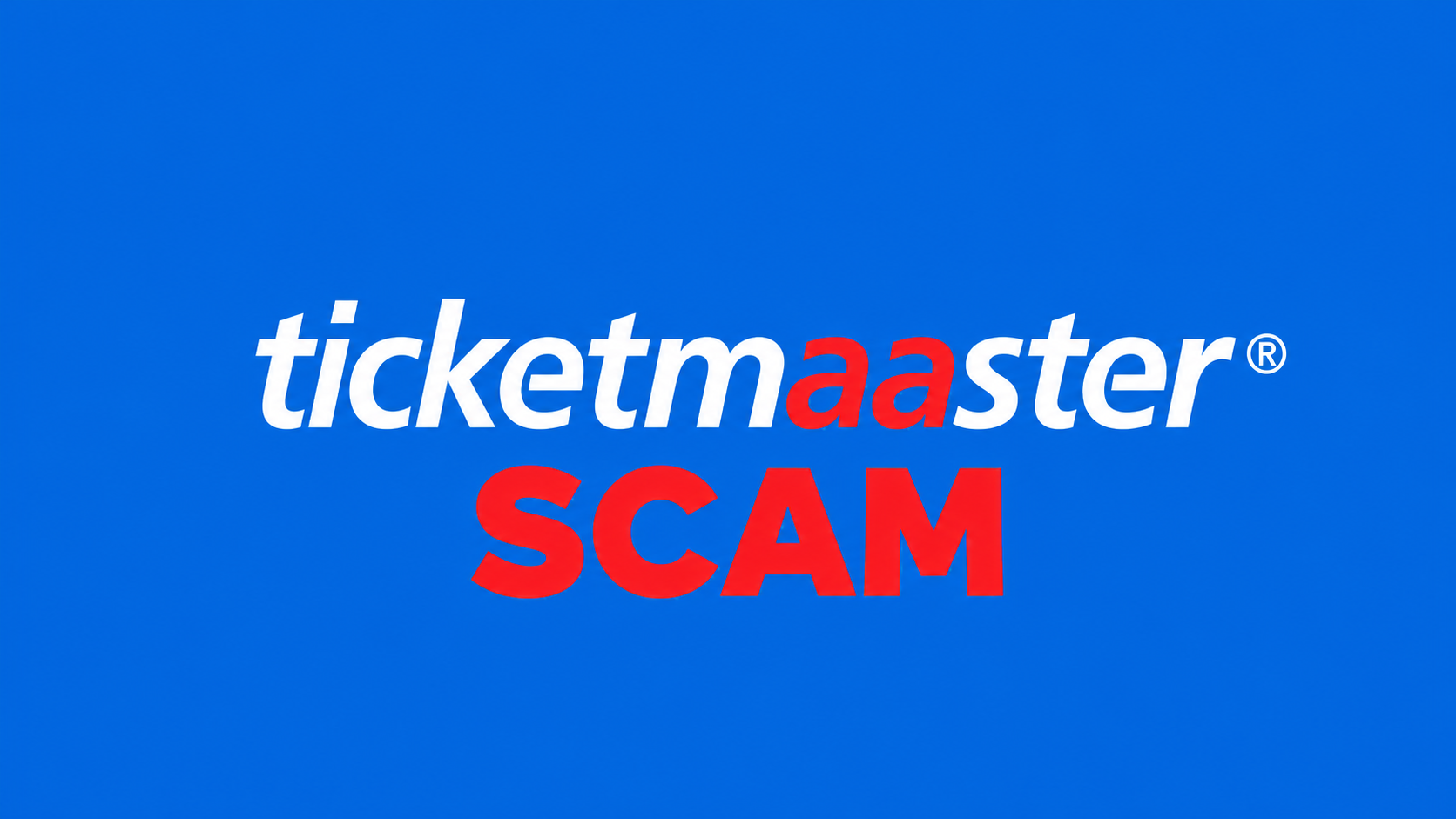
- Misspelled brand names
- Extra or missing letters
- Additional words such as transfer or support
- Unexpected hyphens
- Unusual domain endings
- A different Reply-To address
- Links that use a different domain
For example, ticketmaster.secure-transfer.example.com is controlled by example.com, not Ticketmaster.
Check VouchFirst's platform pages before trusting an unfamiliar address:
2. Look for Visual Mistakes
Fake emails are often still easy to identify for people who regularly work with websites, HTML and email templates.
Common mistakes include:
- Buttons or boxes with the wrong corner rounding
- Uneven spacing between sections
- Incorrect fonts or font weights
- Slightly incorrect brand colors
- Blurry, stretched or poorly positioned logos
- Buttons and text that do not align correctly
- Mobile layouts that do not match real platform emails
These mistakes often happen because the scammer recreated the email using basic HTML rather than using the platform's real email system.
However, visual inspection will become less reliable as AI tools improve. Better AI models can reproduce layouts, spacing, branding and interactive pages more accurately.
Read our investigation into how AI is making ticket scams harder to detect.
Even when an email looks perfect, you should still check the sender domain and verify the transfer inside the official platform.
3. Never Trust Screenshots or Screen Recordings
Screenshots and screen recordings can be created, edited or staged. They do not prove that the ticketing platform sent the email.
Ask the seller to forward the original email as an attachment or provide the .eml file where possible.
An .eml file may preserve the email headers, sender information and routing details that are not visible in a screenshot.
However, an .eml file is still not absolute proof because it can also be edited or manufactured.
4. Verify the Transfer Inside Your Own Account
The strongest check happens outside the seller's email.
- Do not click the link sent by the seller.
- Open the official ticketing app yourself.
- Sign in through the normal app or website.
- Check whether the transfer appears in your account.
- Confirm the event, quantity and seat details.
If the transfer does not appear in your official account, the email should not be treated as proof.
Do not send payment simply because the scammer says the transfer is pending.
5. Check the Sender Icon
A fake email may show:
- A generic letter instead of the platform logo
- An incorrect or outdated logo
- A low-quality or stretched image
- A profile photo unrelated to the platform
This can be a warning sign, but it should not be your main test. Sender icons can be copied or displayed differently by different email providers.
A wrong icon can make an email more suspicious. A correct icon does not prove that the message is legitimate.
Use VouchFirst Before Paying
Do not wait until after a suspicious email arrives to investigate the seller.
Before sharing your email address or sending payment, search the seller's Reddit username on VouchFirst.
You can check whether:
- The Reddit account has previous scam reports
- Other buyers reported similar fake emails
- The seller used a previously reported domain
- The seller has an established transaction history
- There are already vouched sellers for the event
Finding a vouched seller before beginning a private transaction is safer than trying to verify a stranger after they send convincing proof.
You should also always use PayPal Goods and Services for private ticket purchases.
Do not let the arrival of a confirmation email convince you to switch to PayPal Friends and Family, Zelle, cryptocurrency or another payment method without meaningful buyer protection.
Review PayPal's Purchase Protection terms (opens in a new tab) before paying. PayPal also warns that Friends and Family payments are commonly used in payment scams (opens in a new tab).
A professional-looking email does not make an unsafe payment method safe.
You can also report a suspicious Reddit seller or read our guide to checking a Reddit ticket seller.
Frequently Asked Questions
Can a ticket confirmation email screenshot be fake?
Yes. A scammer can build a fake confirmation email using HTML, insert your event and ticket information, and then take a screenshot or screen recording. The screenshot does not prove that the email was sent by a real ticketing platform.
Why would a scammer email me before asking for payment?
The email is designed to lower your guard. Receiving something in your inbox can make the seller appear more legitimate, so the scammer may send a fake transfer email before requesting payment.
Does receiving an email prove that a ticket was transferred?
No. Anyone can send an email from a lookalike domain or create a phishing website that claims a transfer was completed. The transfer should appear inside your account on the official ticketing platform.
Is a screen recording better proof than a screenshot?
Not necessarily. A scammer can record a fake HTML page, edited inbox or imitation transfer website. A screen recording only proves that something appeared on the seller's screen.
Can an .eml email file be faked?
Yes. An .eml file may preserve useful email headers and sender information, but it can still be edited or manufactured. Treat it as additional evidence rather than final proof.
How do I verify that a ticket transfer is real?
Open the official ticketing app or website independently, sign in normally and check whether the transfer appears inside your account. Do not rely only on links, screenshots or emails provided by the seller.
Which payment method should I use for Reddit tickets?
Use PayPal Goods and Services for private ticket purchases. Do not allow the seller to switch the payment to Friends and Family, Zelle, cryptocurrency or another payment method without meaningful buyer protection.