Fake Ticketmaster Website
A screenshot or screen recording of a ticket-transfer website is not proof that a seller owns or transferred a ticket. Scammers can build a working imitation site, enter your email and display a fake transfer confirmation.
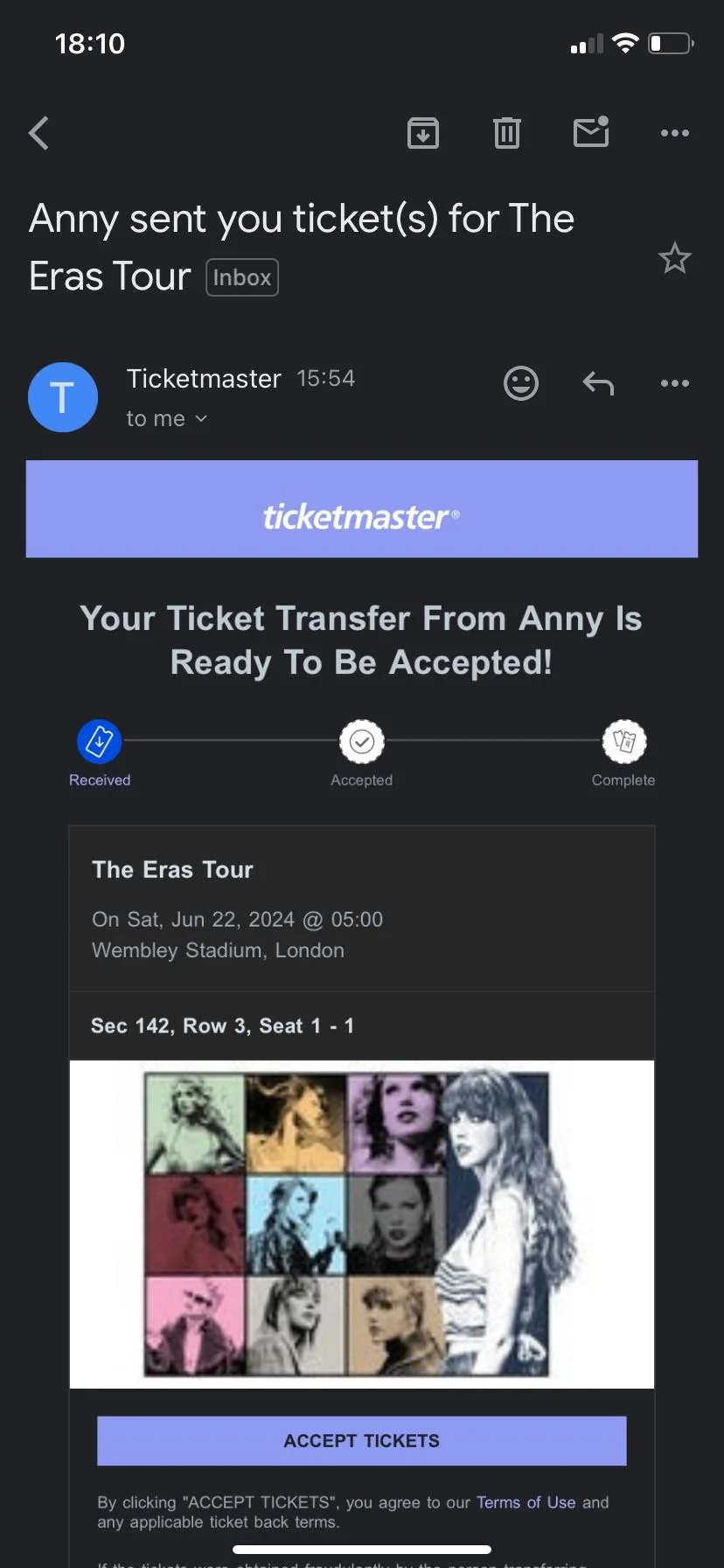
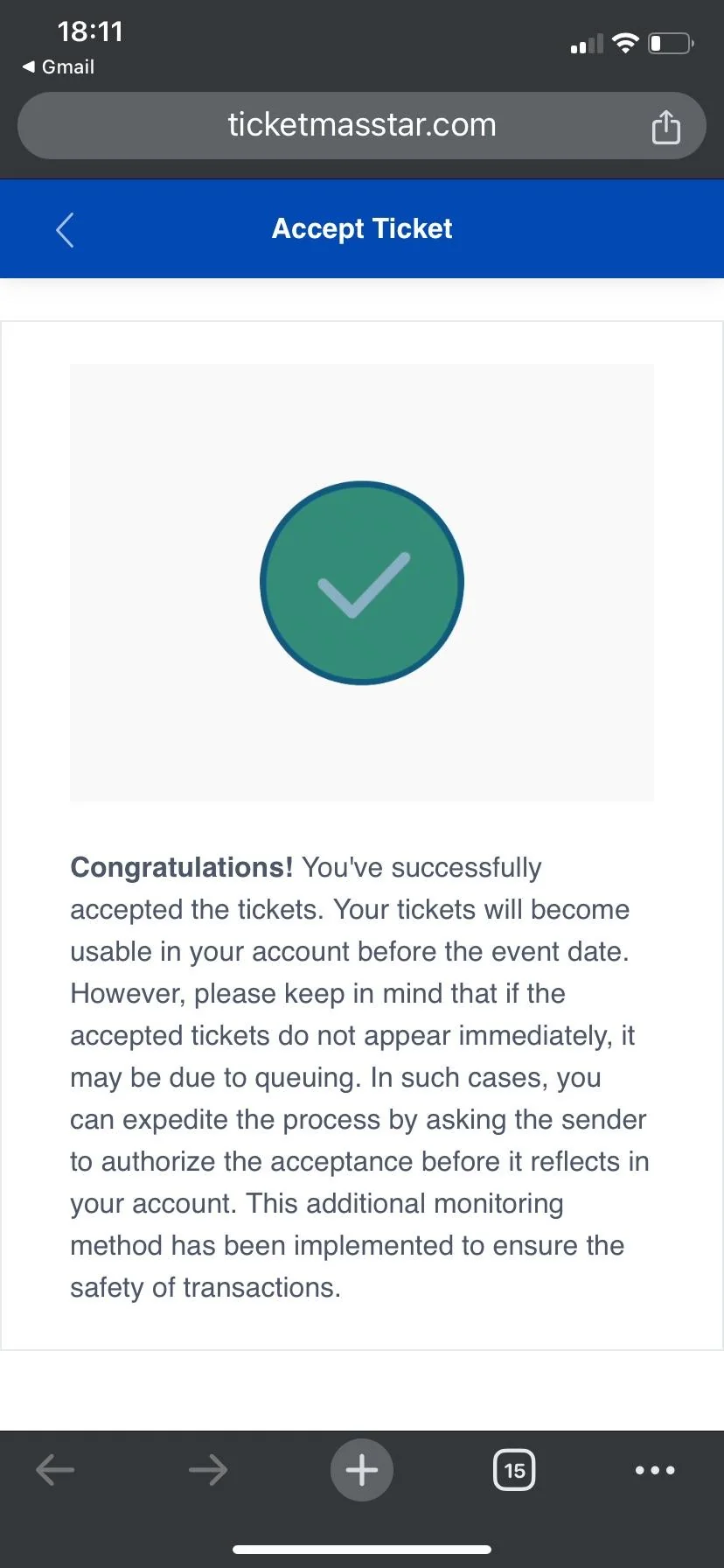
The email and website support the same false story. Neither proves that a ticket exists or was transferred.
Dealing with this right now?
Check the seller before you pay, or report them if you already sent money.
Scam mechanics
How the fake website scam works
- The scammer creates or opens an imitation transfer site.
- They send a screenshot or screen recording showing your email, event and seats.
- The fake site displays a transfer-success message, but it is not connected to the real ticketing platform.
- The scammer uses the recording to pressure you into paying.
The scam can remain on the seller's screen or continue into the buyer's inbox. If you receive a transfer message, inspect its full sender address and destination domain. See our guide to fake Ticketmaster emails and domains.
Recognize this pattern? Report the scammerVerification steps
How to check a ticket transfer
- Open it yourself. Open the official Ticketmaster, team, venue or event-organizer app independently. Do not navigate from a suspicious message.
- Check the full URL. A Ticketmaster logo or familiar design does not make a website official.
- Check your account. Confirm that the event, quantity and seats appear in your own account before treating the transfer as real.
- Stop if unsure. Do not enter information into or interact with a suspicious site.
Common questions
Frequently asked questions
Can someone make a fake Ticketmaster website?
Yes. A scammer can build an imitation ticket-transfer website that looks interactive and displays a fake success message. A working page does not prove that it is connected to Ticketmaster or that any ticket was transferred.
Can a Ticketmaster screen recording be fake?
Yes. A screen recording can show a fake website controlled by the scammer. It only proves that a page appeared on the seller's screen.
How do I know whether a ticket transfer is real?
Open the official ticketing or event-organizer app independently and sign in to your own account. Do not pay based only on a seller's screenshot, screen recording, email, link or transfer-success page.
Keep reading
More ticket scam guides
What VouchFirst does
Check the person behind the ticket.
Search a seller's social media username against community scam reports before you pay. VouchFirst provides reputation and scam-report information—it does not guarantee that a seller, ticket or transaction is legitimate.
Reddit · X · Instagram · TikTok · other social platforms